

Many years ago, when I was working on a mobile product that was serving millions of users, I remember rolling out an “enhancement” to the product that I was hyped up about.
It was a new way to interact with a document on a mobile device, and I even held a patent for it. My team was convinced that it was a great feature, too, and we worked hard to implement and roll it out with lots of fanfare. I remember posting on our official Twitter/X account about its release.
At the time, mobile was picking up exponentially, and I was expecting a sudden jump in our user reviews about how “great” this feature was.
On the contrary, more than 2 weeks after launch, there were zero new comments on the Apple App Store and the Google Play Store about this feature. Zero. Apparently, nobody needed this feature in the first place.
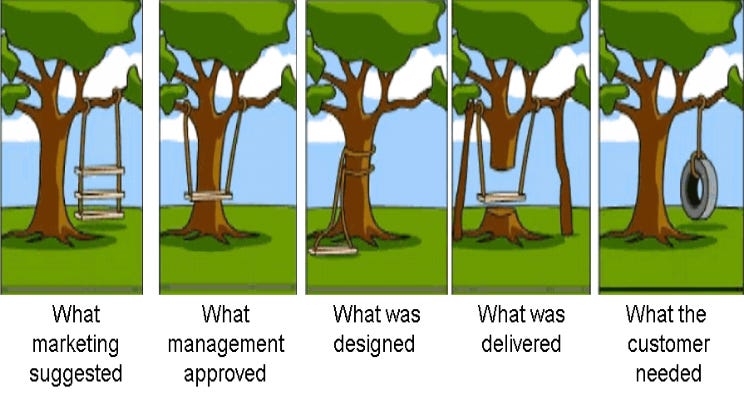
I’ve seen this play out many times through my career of 20+ years leading teams.
Someone on the team raises a problem, and the manager hears it, agrees, and the team has a fix ready by Friday. It could be a new tool, a new process, or a new feature, and it goes out with a nice announcement (like mine did!)
But months after release, nobody seems to be using it.
What makes it worse is that the manager is confused, because the fix was good. It was a neat feature, after all.
The problem is that it just solved a problem nobody actually had.
Most of us in the corporate world are paid to have answers. Let’s face it, the faster you come up with answers or solutions, the more “capable” you look in the eyes of others, and especially leadership.
So… we skip the “slow” part, which is about talking to the people who are living with the problem in the first place. We hear a complaint and jump straight to a solution.
Design thinking is the “cure” for that habit.
In this post, we will discuss how it works, and how you can use it to find the real problem before you spend weeks building the fix.
Here’s what we will cover:
Where Design Thinking Came From
The Five Stages
Why Leaders Skip the Most Important Steps
Applying Design Thinking in Practice
The Problem Rewrite
Design Thinking in Action
Common Pitfalls (and How to Avoid Them)
Final Thoughts
Quick aside: the Kyoshi beta just wrapped, and here’s what some of the leaders had to say about their experience with Kyoshi: (check out last week’s post below for a full introduction to Kyoshi).

I’m an Engineering Director with 13+ years of experience leading engineering teams and building technology platforms. Kyoshi offers a structured, practical approach to learning leadership frameworks and applying them to real-world situations. I particularly love the Practice section, with its role-plays and scenarios that challenge me to think through situations as a leader. What I like most is how Kyoshi turns leadership concepts into practical exercises that anyone can reflect on and apply in their career. -- Aman Agrawal
I’m an Engineering Director leading a small, distributed team. I used Kyoshi to think through a real situation: how to tackle tech debt when the person who built the platform is less available. Instead of handing me an answer, it started by asking a clarifying question, which is what a good coach does. What I like most is that the scenarios feel like real management situations, not textbook cases. -- Sébastien Rufiange
I am a management consultant and a mentorship coach that helps clients make changes to their business or engagement approach to maximise the output and ensure a happy team. I work across industries, and Kyoshi was great at enabling me to make critical decisions about both my commercial terms and also my engagement process using the Leadership OS. I liked the pragmatism that Kyoshi gave me and think that this would be beneficial for many in the future. -- Kiran Sudhakar
🔥 The waitlist closes soon (on Oct 20) - join now to be among the first to get Founding Member access.
Where Design Thinking Came From
Design thinking started in the world of product design.
In 1969, Herbert Simon, who was an economist and computer scientist, wrote The Sciences of the Artificial. In this book, he described design as a way of solving problems that anyone could use, not only people who make “objects”.
Later, the design firm IDEO and its founder David Kelley brought the idea into business. Kelley also helped start Stanford’s d.school in the mid-2000s, and that’s where the five-stage model that we will talk about in this post became more popular.
The big shift was simple:
Instead of starting with the product, you start with the person who will use it.
That’s why it works so well for leaders. Almost everything we fix, from a customer experience to a team process, is something that people have to live with.
If people live with the problem, people should shape the fix.
The Five Stages
As discussed earlier, Design thinking helps you solve problems by focusing on people.
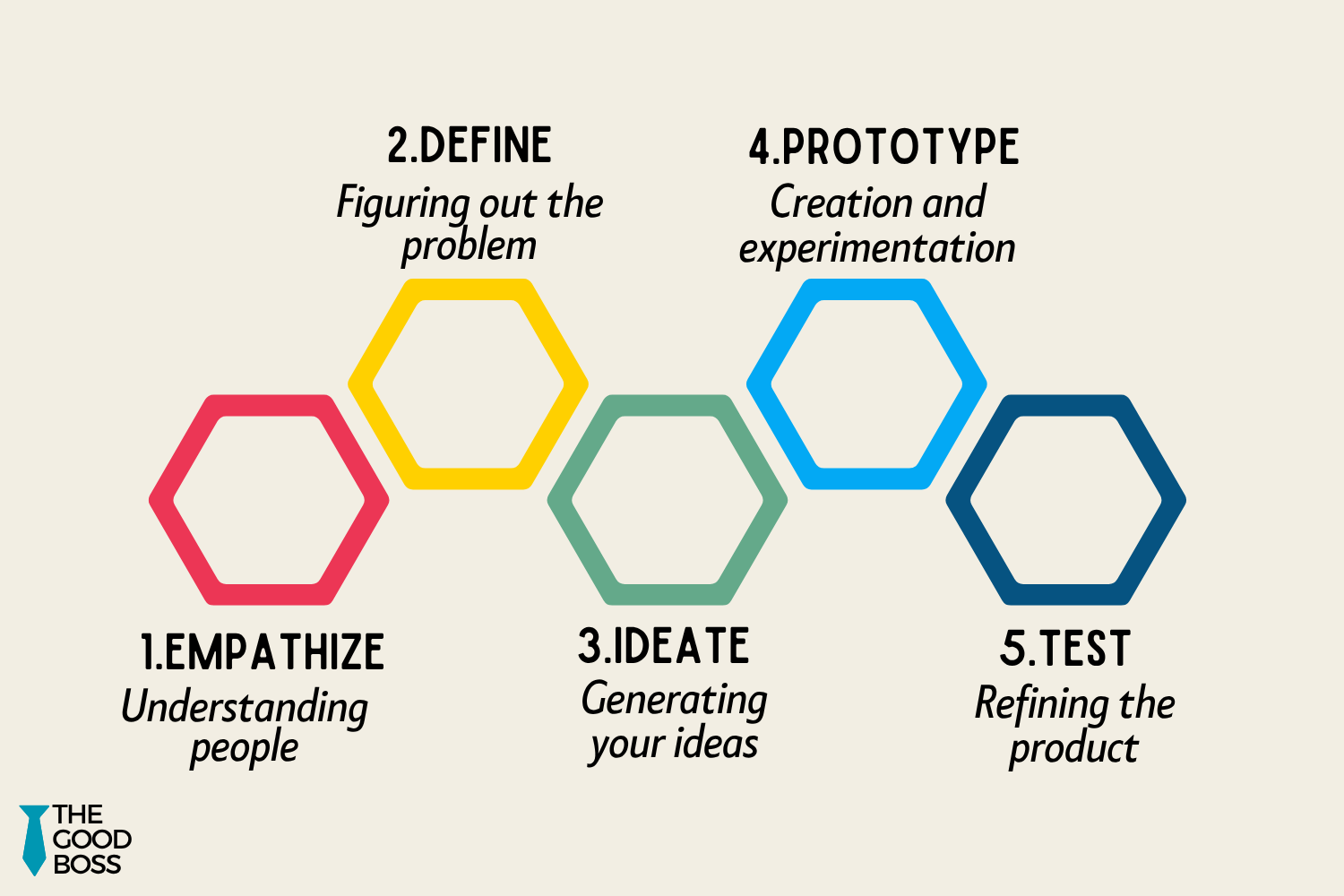
It runs in five stages:
Empathize. Get close to the people who live with the problem. Talk to them, observe how they work, and listen more than you talk.
Define. Based on what you heard while observing those people, write down one clear problem statement that captures the issue.
Ideate. Put together a diverse or cross-functional group together and brainstorm lots of “possible fixes”. Nothing is a bad idea at this stage.
Prototype. Build a working version of a small, cheap version of the most promising ideas.
Test. Put your prototype in front of real people, get their feedback on it, and refine it. I call these ‘pilots’, and nothing goes team-wide or company-wide until it has worked for a small ‘pilot group’.
As you can tell, the stages emphasize identifying the real issue faced by the people who are going to use the solution by involving them early.
Doing this ensures that you are solving the right problem, not just solving the problem right.
Why Leaders Skip the Most Important Steps
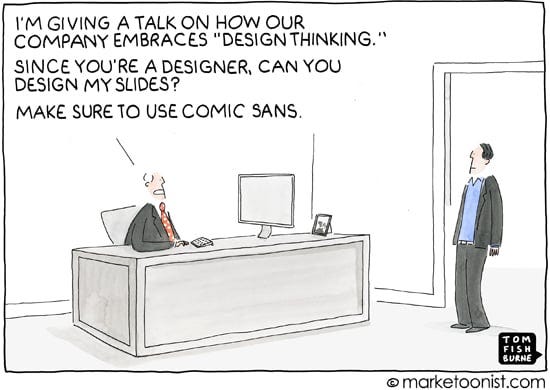
In my experience working with leaders, and observing how they solve problems, I’ve found that they spend most of their time in the Ideation piece of the puzzle.
They typically skip the Empathize and Define stages, just like I did for the mobile app feature I mentioned earlier in this post.
So, why do we do this? Here’s my take:
Speed looks like competence. When we say “let me go talk to a few people first” it can feel weak in a meeting where everyone wants an answer right now. Faster decisions are generally perceived as being more decisive, and therefore, more competent.
Seniority makes it worse. The more senior you are, the faster people agree with your first idea, however BS it might be. Nobody wants to risk telling the director or the VP that their idea misses the point.
Dashboards feel like understanding. When you look at a customer churn chart or an engagement score, it tells you where the problem is. But it doesn’t tell you why, which only the people who are impacted can tell you.
And here’s the worst part - the cost of skipping adds up quickly.
You end up fixing the same issue “twice”, and when you release it to your customers, they feel unheard even after you “fixed” their issue.
Over time, it has an impact on your team culture and dynamics too - when they see this pattern repeating again and again, they start rolling their eyes the next time you announce that “big initiative”.
Granted, you cannot be 100% sure you’re fixing the right thing, but Design Thinking bridges that gap and gets you closer to that 100%.
Applying Design Thinking in Practice
For the rest of this article, we will focus our attention on putting Design Thinking into practice in your own organization. As we do that, don’t forget to download the Design Thinking Worksheet.
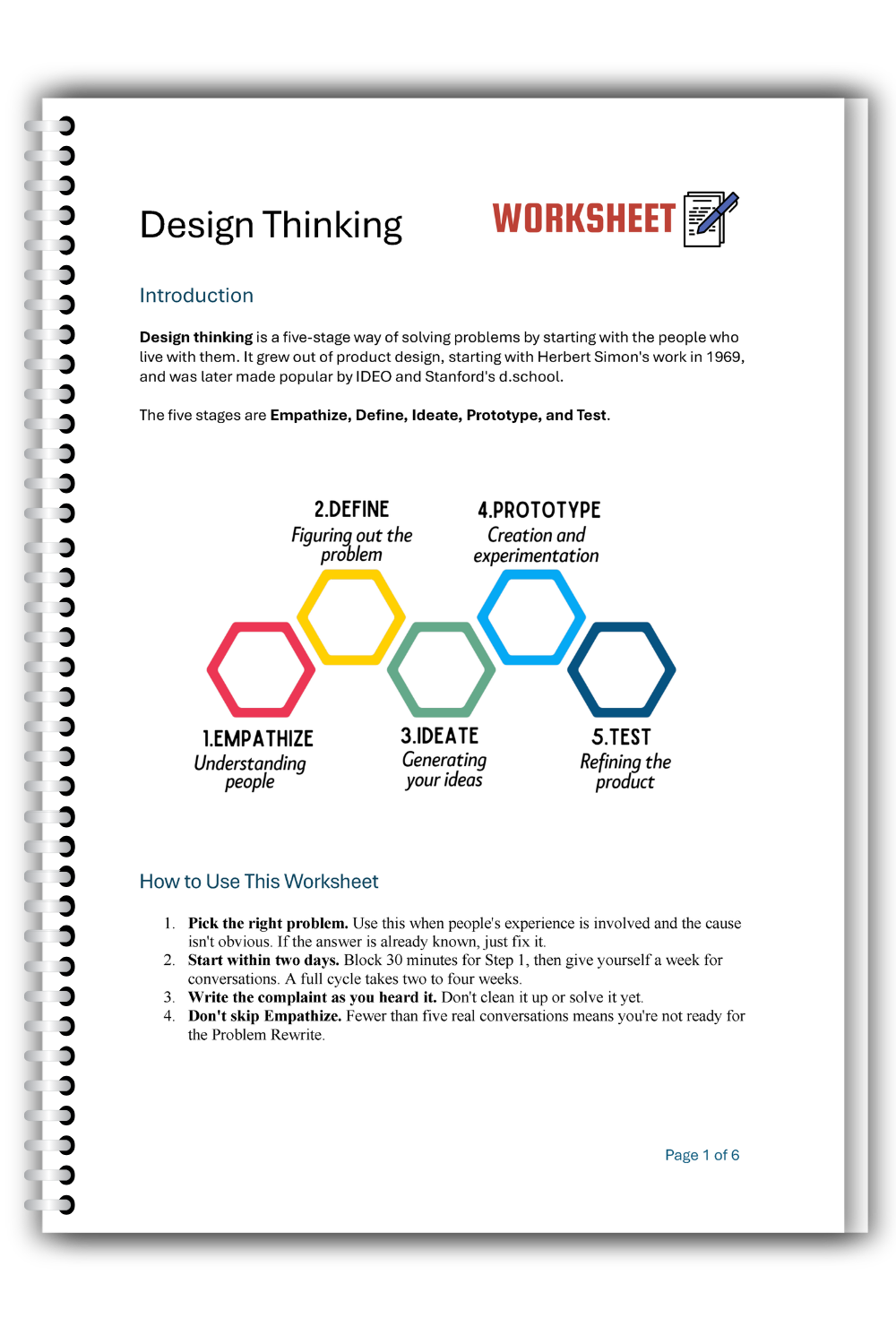
Use this worksheet to:
Find the real problem behind a complaint before you build a fix
Turn what you hear from customers and teams into a clear Problem Rewrite
Test ideas with a small group before rolling them out to everyone
Catch the moments when you’re about to solve the wrong problem
How to download the worksheet
This worksheet is part of the Worksheets Collection, available to all paid subscribers to The Good Boss.
👉🏻 Upgrade to paid now and get instant access to the entire collection, including this worksheet.
If you prefer the standalone worksheet, you can purchase it from here.
Next, let’s look at a simple technique you can use to fix the Define stage.